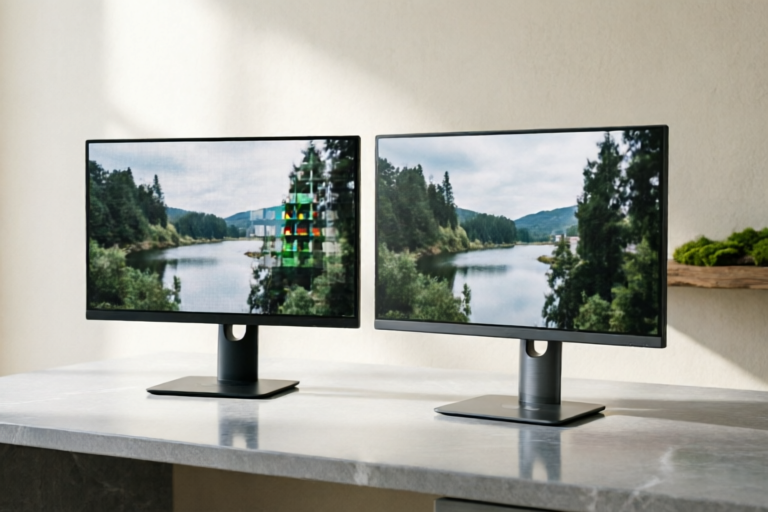
Gaming Monitors: 1080p vs 1440p Comparison
Find the perfect gaming monitor for your setup
Introduction to Gaming Monitors Resolution
Gaming monitors are essential components of any serious gamer's setup. They provide the visual interface through which players interact with their favorite games, making the choice of resolution critical for both performance and visual quality. Two of the most popular resolutions for gaming monitors are 1080p (Full HD) and 1440p (Quad HD). This article will delve into the details of these two resolutions, comparing their pros and cons to help you decide which one best suits your needs.
Understanding 1080p Resolution
Definition and Technical Specifications
1080p, also known as Full High Definition (FHD), refers to a display resolution of 1920x1080 pixels. It has been a standard for many years and is supported by a wide range of devices, including televisions, computers, and gaming consoles. The 'p' in 1080p stands for progressive scan, meaning that all lines of the image are drawn sequentially.
Pros and Cons of Using a 1080p Monitor for Gaming
- Pros:
- Affordable pricing compared to higher resolutions.
- Widespread compatibility with older and less powerful hardware.
- Lower power consumption.
- Cons:
- Less detail and clarity compared to higher resolutions.
- Possibly lower refresh rates, affecting smoothness in fast-paced games.
Ideal Use Cases for 1080p Gaming Monitors
1080p monitors are ideal for budget-conscious gamers or those with less powerful hardware. They are also suitable for gaming at medium distances or in environments where high detail isn't crucial. Additionally, they work well for gaming sessions that aren't as demanding on the system, such as casual games or older titles.
Exploring 1440p Resolution
Definition and Technical Specifications
1440p, often referred to as Quad HD (QHD), offers a resolution of 2560x1440 pixels. This resolution provides more than twice the pixel count of 1080p, resulting in sharper images and finer details. The additional pixels also allow for larger screen sizes while maintaining high pixel density, making 1440p a popular choice for larger displays.
Advantages and Disadvantages of Opting for a 1440p Monitor
- Advantages:
- Enhanced visual detail and clarity.
- Better performance on newer, more powerful hardware.
- Improved color accuracy and contrast ratios.
- Disadvantages:
- Higher cost compared to 1080p monitors.
- Requires more powerful hardware to run efficiently.
- Higher power consumption.
Scenarios Where a 1440p Monitor is Particularly Beneficial
1440p monitors excel in scenarios where high detail and immersion are paramount. They are ideal for competitive gaming, professional gaming setups, and those who prioritize visual fidelity over cost. Additionally, 1440p monitors are beneficial for large screens, providing a more immersive experience without sacrificing image quality.
Visual Quality Comparison
Detailed Comparison of Visual Quality Between 1080p and 1440p Monitors
The primary difference between 1080p and 1440p monitors lies in the number of pixels. While 1080p offers 2,073,600 pixels, 1440p boasts 4,096,000 pixels. This significant increase in pixel count translates to sharper images and finer details. However, the difference becomes more noticeable on larger screens, where the increased pixel density is more apparent.
Discussion on Color Accuracy, Contrast Ratio, and Sharpness Differences
1440p monitors generally offer better color accuracy and contrast ratios due to their higher pixel density. This results in richer colors and deeper blacks, enhancing the overall visual experience. Additionally, the sharper images provided by 1440p monitors can significantly improve immersion, making the gaming experience more engaging and realistic.
Impact of Resolution on Overall Picture Quality and Immersion
The impact of resolution on picture quality and immersion cannot be overstated. Higher resolutions like 1440p provide a more detailed and lifelike image, creating a more immersive gaming environment. For players seeking the highest level of realism and detail, investing in a 1440p monitor is highly recommended.
Performance and Compatibility Considerations
Analysis of How Each Resolution Affects Gaming Performance
The choice between 1080p and 1440p can also affect gaming performance. While 1080p monitors are generally easier on system resources, 1440p monitors demand more processing power to render the higher number of pixels. Gamers with more powerful GPUs and CPUs may find that 1440p provides smoother gameplay and higher frame rates, especially in graphically intensive games.
Factors to Consider When Choosing Between 1080p and 1440p for Different Hardware Setups
- GPU Power: Ensure your GPU can handle the demands of 1440p without significant performance drops.
- CPU Performance: A robust CPU is necessary to maintain smooth gameplay, especially at higher resolutions.
- RAM Capacity: Sufficient RAM ensures that your system can handle the increased data load of 1440p.
- Power Supply: Higher resolutions may require more power, so ensure your PSU can handle the load.
Recommendations for Gamers Based on Their System Capabilities
For gamers with limited budgets or older hardware, a 1080p monitor remains a solid choice. However, for those with more powerful systems, a 1440p monitor can significantly enhance the gaming experience. Gamers should consider their specific hardware configuration, including GPU, CPU, and memory, before making a decision.
Conclusion and Final Thoughts
Summary of Key Points from the Comparison
This article has explored the differences between 1080p and 1440p gaming monitors, highlighting their respective advantages and disadvantages. While 1080p offers affordability and compatibility, 1440p provides superior visual quality and immersion. The choice ultimately depends on individual needs, preferences, and system capabilities.
Guidance on Selecting the Right Resolution Based on Individual Needs and Preferences
Gamers should consider factors such as budget, hardware limitations, and desired visual fidelity when choosing between 1080p and 1440p. For those prioritizing cost and compatibility, 1080p is a reliable option. Conversely, for those seeking the best possible visual experience, 1440p is the way to go.
Future Trends in Gaming Monitor Resolutions
As technology continues to advance, we can expect higher resolutions to become more prevalent. Future developments may include 4K and even 8K gaming monitors, offering unprecedented levels of detail and immersion. Gamers should stay informed about these advancements to ensure they make the best investment for their gaming setup.
Comments

Thinking of buying this 1440p model. Any tips on what to look out for in terms of compatibility with my current PC?

For the price, 1080p offers amazing value. But if you're into competitive gaming, 1440p might be the way to go.

Should I go for 1080p or 1440p? I have a mid-range GPU and am unsure which resolution would perform better.

After upgrading to 1440p, the difference in detail and sharpness is night and day. Highly recommend if you can swing the cost.

Worth it! My 1080p monitor has been fantastic for casual gaming without breaking the bank.

Anyone here switch from 1080p to 1440p? Curious about the difference in clarity and if it justifies the price bump.
I've been using a 1080p monitor for a while now and it's great for my budget setup. The 1440p option seems tempting but I'm not sure if it's worth the extra cost.