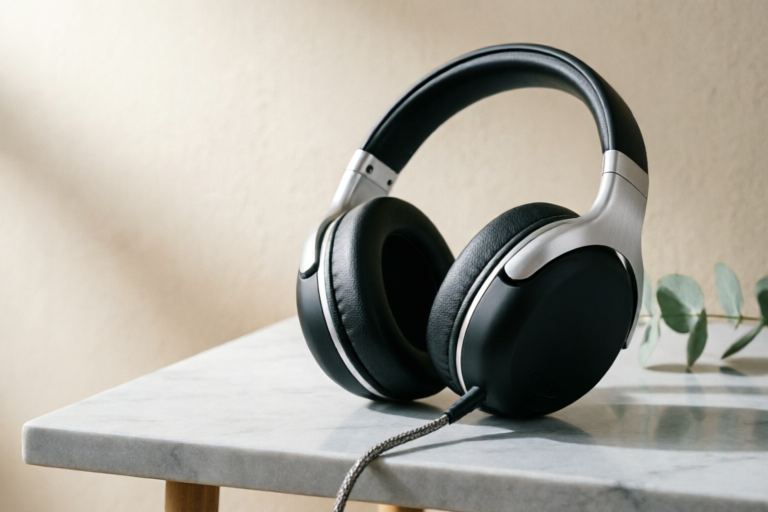
Best Gaming Headsets for Beginners Looking for Great Audio Quality
Immerse Yourself in Every Beat
Best Gaming Headsets for Beginners Looking for Great Audio Quality
1. Introduction: Why Audio Quality Matters for New Gamers
Entering the world of competitive and immersive gaming is a thrilling journey filled with stunning visuals, engaging storylines, and intense multiplayer battles. However, many novice players tend to overlook the crucial element that ties all these experiences together: sound. While graphics often grab the headlines, audio is the silent partner that dictates survival, strategy, and immersion. For new gamers, investing in a quality headset is not merely a luxury; it is a fundamental upgrade that transforms gameplay from a passive viewing experience into an active, dynamic environment.
In modern titles, particularly First-Person Shooters (FPS) like Call of Duty or Valorant, audio cues are vital. The subtle footstep of an opponent creeping around a corner, the distinct click of a rifle being reloaded, or the ambient rumble of an approaching vehicle can mean the difference between victory and defeat. Without accurate spatial awareness delivered by quality headphones, beginners are essentially playing blindfolded. Furthermore, in role-playing games or horror titles, immersive soundscapes deepen emotional engagement. The crackle of a fire in the background or the whisper of wind through virtual trees builds atmosphere in a way that built-in laptop speakers simply cannot replicate.
Furthermore, communication is king in multiplayer ecosystems. Gaming is rarely a solitary activity anymore. Whether you are coordinating with a raid team in Final Fantasy XIV or strategizing with a squad in Fortnite, voice chat reliability is paramount. A headset with a poor-quality microphone can lead to frustrating misunderstandings among teammates, potentially ruining group cohesion. Therefore, when searching for the best gaming headsets for beginners looking for great audio quality, it is essential to prioritize balance. You need clarity for game sounds and precision for your voice, all wrapped in a package that feels comfortable during marathon sessions.
This comprehensive guide is designed to demystify the technical jargon often found in product specifications. We will walk through what actually matters in a headset, evaluate top-tier options across various budgets, and help you make an informed decision. By the end of this article, you will have a clear understanding of how to select audio gear that elevates your gaming performance and enjoyment without breaking the bank.
2. Essential Audio Features to Evaluate
Before purchasing any headset, novices must understand the core technical specifications that define audio performance. Confusing marketing terms can lead to buyer's remorse, so focusing on a few key metrics will streamline your search process significantly.
Driver Size and Type
The driver is the heart of the headset. It is the small speaker unit inside the ear cup that converts electrical signals into sound waves. Larger drivers, typically measured in millimeters (mm), generally produce richer bass and higher volume capabilities. For gaming, drivers ranging from 40mm to 50mm are considered the sweet spot. They provide enough low-frequency impact for explosions and engine noises without overpowering the mid-range frequencies where voice lines and footsteps live. Neodymium magnets are commonly used in drivers as they offer a stronger magnetic field, allowing for better sensitivity and clearer sound reproduction even at lower volumes.
Frequency Response
This specification indicates the range of audio frequencies the headset can reproduce, usually measured in Hertz (Hz). Human hearing typically ranges from 20Hz to 20,000Hz. A frequency response graph helps visualize how well a headset handles different sounds. An ideal gaming headset should offer a flat response curve, meaning it reproduces sounds accurately without artificially boosting certain frequencies. For instance, some budget headsets overemphasize bass, making explosions loud but drowning out enemy footsteps. Look for a headset that offers a wide response range, ideally spanning 15Hz to 25,000Hz or similar, to ensure you catch ultra-low hums and high-pitched alerts alike.
Spatial and Surround Sound Capabilities
A common question among beginners is whether virtual surround sound is necessary. True 7.1 surround sound requires multiple physical drivers, which adds bulk and cost to headsets. Most modern premium headsets utilize Virtual Surround Sound technologies, such as Dolby Atmos or Windows Sonic. These features use software processing to create a 360-degree soundscape, tricking the brain into perceiving directionality. For beginners, this feature is highly recommended as it drastically improves directional awareness in shooters and racing games. Even stereo headphones with EQ software can approximate this effect, but dedicated hardware support ensures lower latency and better processing efficiency.
Connectivity Options
Choose between wired and wireless based on your priorities. Wired connections via USB or 3.5mm jack offer zero latency and no battery anxiety. They are perfect for competitive esports where milliseconds matter. Conversely, wireless technology has evolved rapidly. Modern 2.4GHz dongle receivers offer connectivity comparable to wired setups but with the freedom of movement. Be cautious of Bluetooth-based gaming headsets for competitive play, as Bluetooth introduces noticeable delay. Unless you are using a headset specifically designed for low-latency wireless protocols, stick to the dedicated receiver included in the box.
3. Top Budget-Friendly Headset Recommendations
You do not need to spend a fortune to achieve excellent audio fidelity. Several manufacturers have mastered the art of delivering premium sound profiles at entry-level prices. Here are three standout options under $50 that deliver exceptional sound quality without compromising performance.
HyperX Cloud Stinger Core
The HyperX brand is synonymous with reliability in the budget sector, and the Cloud Stinger Core is no exception. Priced affordably, this headset features 50mm drivers that deliver strong bass performance without muddying the vocals. Its lightweight design weighs approximately 265 grams, which is excellent for preventing neck fatigue during long sessions. The cable is braided, adding a layer of durability often missing in cheaper alternatives. While it lacks dedicated software customization, its out-of-the-box audio profile is well-balanced. The detachable noise-cancelling microphone is also a bonus, allowing easy switching between gaming and music listening.
Razer Kraken X
If aesthetics matter to you alongside performance, the Razer Kraken X is a crowd favorite. It sports a sleek, matte black finish that fits well into RGB-heavy setups. The audio tuning here focuses heavily on clarity. The 40mm drivers are tuned to highlight the mid-to-high frequencies, which helps immensely in competitive titles where hearing distant gunfire is crucial. It includes HyperSense haptic feedback, which uses sound frequencies to vibrate the headset slightly in sync with in-game events like footsteps or gunshots. While the build is somewhat plastic-centric, the comfort level is high due to the cooling gel-infused cushions, keeping ears cool during intense summer gaming nights.
Logitech G105 Lightsync
For users who prefer simplicity, the Logitech G105 stands out for its plug-and-play functionality. It connects directly via USB or a 3.5mm jack without requiring driver installation on most systems. The audio signature is surprisingly robust, offering a balanced presentation suitable for both FPS and RPG genres. One of its selling points is the inline mute switch and volume wheel, providing tactile control right on the cord where it is easily accessible. It supports Logitech G Hub software if you wish to customize the lighting or create specific sound profiles later. At a very low price point, it remains one of the safest bets for beginners who need reliable hardware immediately.
4. Best Mid-Range and Wireless Choices
Once you move beyond the entry-level tier, you unlock access to superior components, wireless convenience, and advanced firmware. These mid-range models are priced between $80 and $150 and often feature enhanced durability and connectivity standards suitable for serious hobbyists.
Corsair HS70 Pro Wireless
The Corsair HS70 Pro represents the gold standard for affordable wireless gaming headsets. It utilizes a custom-designed 12-hour battery life, eliminating the fear of your headset dying mid-match. The audio quality here is refined, with a focus on crisp highs and deep lows that enhance cinematic moments in single-player games. It supports high-fidelity audio and Dolby Atmos 7.1 surround sound through Corsair’s iCUE software suite. This software allows for granular control over equalizer settings, letting you boost specific frequencies to hear footsteps more clearly. The memory foam ear pads are soft and supportive, ensuring that the clamp pressure remains consistent even after hours of wear.
SteelSeries Arctis Nova 1P
Designed specifically for PlayStation but compatible across platforms, the SteelSeries Arctis Nova series prioritizes audio clarity above all else. It employs a dual-driver system—combining a large dynamic driver for bass and a planar-magnetic driver for highs—to separate instruments and effects effectively. This separation creates a cleaner soundstage compared to traditional drivers. The ChatMix dial is a standout feature, allowing you to instantly blend game audio and microphone input levels using a single knob on the side of the headset. This is invaluable when you want to listen to your friend in a Discord call while monitoring the chaos of an explosion in-game. Build quality feels sturdy, utilizing steel and aluminum components rather than cheap plastics.
EPOS H3PRO Hybrid
For those who require true flexibility, the EPOS H3PRO Hybrid is a versatile choice. It supports both 2.4GHz low-latency wireless and Bluetooth connectivity simultaneously. This means you can pair it with your PC for gaming and your phone for notifications without switching devices. The acoustic design is optimized for professional audio performance, offering a neutral frequency response that avoids fatigue during long streams or work sessions. It features a fully retractable microphone that disappears into the ear cup when not in use, offering a sleek look. The suspension headband distributes weight evenly across the head, reducing hotspots and pressure points, which is a major consideration for daily use.
5. Comfort and Microphone Performance Considerations
Technical specifications tell part of the story, but real-world usability depends entirely on ergonomics and communication tools. A powerful speaker is useless if the headset becomes painful to wear, and a crystal-clear microphone will not help if it picks up keyboard clicks from across the room.
Ergonomics and Ear Padding
Weight distribution is the primary factor in comfort. Ideally, a headset should weigh less than 300 grams for extended play. Heavy headsets cause strain on the cervical spine. The type of ear pad material also plays a huge role. Leatherette covers the ear completely, creating a sealed environment that enhances bass but can trap heat. Memory foam wrapped in cloth breathes better, dissipating moisture and sweat, which is beneficial for humid climates or long gaming sessions. Adjustable clamping force is another subtle feature; it needs to be tight enough to stay on securely but loose enough to not leave red marks on the face after an hour.
Microphone Clarity and Noise Cancellation
In team-based environments, your voice is a weapon. Good microphone performance goes beyond volume; it is about intelligibility. Look for headsets with noise-cancelling boom mics that isolate voice frequency while filtering out background mechanical noise like air conditioning fans or typing. Some modern headsets come equipped with AI-powered noise suppression software that actively removes static and chatter from the transmitted audio. A flexible boom arm is essential for positioning the mic close to the mouth (about a finger width away), optimizing pickup distance. Additionally, a mute indicator light on the headset body is a practical addition so you know visually when your microphone is active and transmitting.
6. Conclusion and Final Buying Guide
Selecting the right gaming headset is an investment in your digital comfort and competitive edge. There is no single "best" headset for everyone, as individual preferences regarding sound signature and physical feel vary greatly. However, by adhering to the principles outlined in this guide, beginners can navigate the market with confidence.
Summary of Top Picks Across Price Points
- Budget Champion: HyperX Cloud Stinger Core for balanced audio and durability under $40.
- Aesthetics Choice: Razer Kraken X for RGB integration and cooling gel pads.
- Wireless Value: Corsair HS70 Pro for reliable connection and battery life.
- Audio Fidelity: SteelSeries Arctis Nova 1P for unmatched clarity and ChatMix control.
- Hybrid Connectivity: EPOS H3PRO for seamless multi-device switching.
Your Final Checklist for Purchase
Before clicking buy, run through this quick checklist to ensure the purchase meets your needs:
- Platform Compatibility: Ensure the connector (USB, 3.5mm, or Wireless Dongle) works with your console or PC.
- Use Case: Are you playing FPS games (prioritize spatial audio) or Single Player RPGs (prioritize bass response)?
- Longevity: Check warranty periods. Premium brands like Logitech, Razer, and SteelSeries usually offer 1-2 year warranties, protecting your investment.
- Replacement Parts: Can you buy replacement ear pads or cables? This extends the lifespan of the device.
- Software Support: Does the manufacturer still update firmware for the headset? Active software support indicates a living ecosystem.
Avoid the temptation to buy the cheapest option available online just to save money. Poor build quality often leads to broken hinges or frayed wires within months, costing more in the long run. Instead, view a gaming headset as a permanent fixture of your desk setup. Take advantage of return policies to test comfort in person if possible. Listen to a variety of genres to gauge versatility. By prioritizing audio quality, comfort, and microphone clarity, you ensure that every moment spent in your virtual worlds is backed by sound that does justice to the effort you put into mastering them. Happy gaming.
Comments

Love the immersive sound part you explained. Definitely noticed footsteps easier in Valorant with these.

Is the mid-range version actually worth the extra $30? Or just save up for the wireless one later?

Does the mic mute button work well? Can't deal with teammates yelling when I'm talking to my wife lol.

Worth it! Grabbed the blue one on sale.
The comfort section really saved me. Used to get headaches with my old set. Switched to the over-ear style you recommended and can game for hours now.

Between the HyperX and this Bose option, which do you think lasts longer? My friend broke his earcups after a month of heavy use.

Anyone else worried about latency with the wireless ones? Just starting into PC gaming so I don't want to get my signal lagged if I choose the wrong one.

Bought the budget one you listed last week. Honestly didn't expect much for under $50 but the sound is pretty crisp for FPS games.