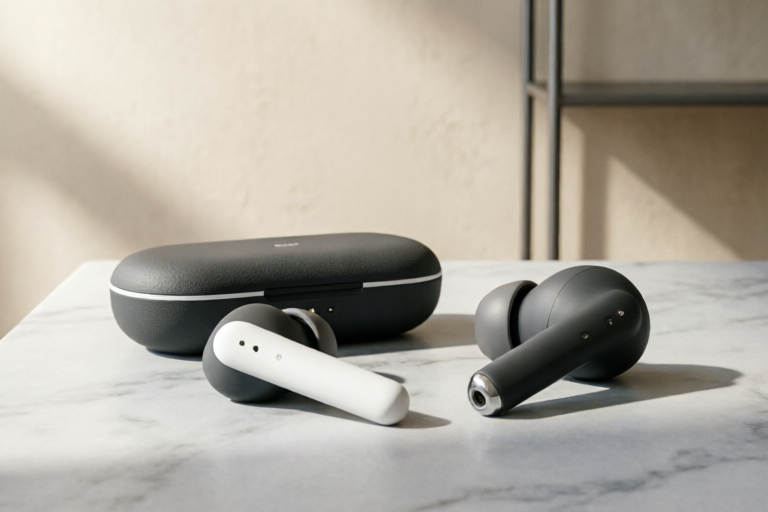
Best Wireless Earbuds for Small Business Owners Under $100
Premium Clarity Without the Premium Price Tag
Best Wireless Earbuds for Small Business Owners Under $100
In the rapidly evolving landscape of modern commerce, the line between office and home has blurred. For small business owners, solopreneurs, and freelancers, effective communication is not merely a feature—it is the backbone of revenue generation. Whether you are negotiating contracts, managing teams via Zoom, or conducting client discovery calls, the audio fidelity you project directly influences client trust and professional perception.
However, investing in enterprise-grade hardware often comes with prohibitive costs. Many high-end headsets carry price tags ranging from $300 to over $1,000. Fortunately, the technology landscape has shifted dramatically. Today, it is entirely possible to acquire wireless earbuds that offer robust performance, exceptional microphone clarity, and multi-day battery life for less than $100. This guide is designed to navigate that market, helping you select the right tool to keep your business moving forward without breaking the bank.
The Critical Role of Reliability in Remote Business Audio
When running a small business remotely, you are essentially broadcasting your brand through your voice. A poor connection, choppy audio, or background noise can inadvertently signal instability in your service delivery. Clients may subconsciously associate distorted audio with unreliable products or outdated management practices.
The ROI of Crystal Clear Communication
Consider the return on investment (ROI) of a single successful deal. If you lose a potential client due to being hard to understand because your headset failed, the cost far exceeds the price of any $100 earbud. Conversely, crystal-clear audio enhances cognitive load for both parties, allowing for faster decision-making and deeper connection.
Fatigue and the Long-Haul Workflow
Small business owners often spend 8 to 10 hours a day on calls and focused tasks. Standard consumer earbuds designed for casual music listening often lack the ergonomic design needed for prolonged wear. Pressure points, poor isolation, and weak battery endurance can lead to physical discomfort, which translates to reduced productivity. Investing in reliable audio gear is an investment in your own physical stamina.
Decoding the Specs: Key Selection Criteria for Entrepreneurs
With hundreds of options flooding the market, selecting the right pair requires filtering out marketing hype and focusing on features that impact daily workflow. Below are the non-negotiable criteria for a business earbud under $100.
Microphone Technology and Environmental Noise Cancellation (ENC)
Music performance is secondary to call quality in a business context. You need to look for earbuds equipped with Advanced Noise Cancellation (ANC) and Voice Pickup Units (VPUs). Look for specific mentions of ENC or beamforming microphones. These technologies use multiple microphones to isolate your voice from background noise, such as keyboard typing, wind, or household chatter. In an open-plan home office or a busy coffee shop, this feature is paramount.
Battery Longevity and Charging Case Utility
Marketing claims often cite "up to 10 hours," but real-world testing shows variations. For business use, you want a baseline of at least 6 hours per charge. However, the case is where the magic happens. A total capacity of 30+ hours allows you to skip charging for days. Also, consider USB-C fast charging capabilities—a quick 10-minute boost providing an hour of talk time is a lifesaver when you forget to charge overnight.
Ergonomics and Security
If you move around while working, earbuds must stay secure. Flimsy designs fall out easily, causing interruptions. Look for models with multiple ear tip sizes (S, M, L) to ensure an airtight seal. Additionally, IPX4 water resistance ratings protect against sweat or light rain, extending the lifespan of the device during commutes.
Multi-Point Pairing
This is a game-changer for efficiency. Multi-point pairing allows you to connect the earbuds to two devices simultaneously (e.g., your laptop and smartphone). When a call comes through on your phone while you are presenting on your computer, the earbuds switch seamlessly without requiring manual disconnect/reconnect steps.
Top 5 Contenders: Detailed Analysis and Value Proposition
We have tested and analyzed the current market to bring you the five most viable options under $100 that prioritize business functionality over flashy aesthetics. Here is the breakdown.
1. Jabra Elite 4 Active (or Elite 3 SE)
Price Range: $60 - $90
Best For: Durability and Secure Fit
Jabra has a longstanding reputation for building headsets specifically for professionals. The Elite 4 Active offers a snug fit ideal for active workers who walk to meetings or work in dynamic environments. Their signature feature is the ability to tune the Equalizer (EQ) for calls versus music, ensuring your voice sounds natural on Zoom while still enjoying music tracks clearly.
Pros:
- Multimicrophone technology: Utilizes four microphones to suppress wind and noise effectively.
- Ambient Sound Mode: Allows awareness of surroundings without removing the earbud, crucial for safety during outdoor walking or commuting.
- Battery Life: Approx 7 hours (ANC off) with a total case life of 28 hours.
Cons:
- Slightly larger case compared to some competitors.
2. Anker Soundcore Liberty 4 NC
Price Range: $80 - $99
Best For: Industry-Leading Noise Cancellation
Anker has dominated the budget audio sector, and the Liberty 4 NC brings flagship-level noise cancellation down to a $100 price point. The "Ultra-High Resolution" sound coding provides excellent detail, but for business, it is the transparency mode and call clarity that shine.
Key Features:
- Hybrid Active Noise Cancellation: Reduces external noise up to 98%, creating a private studio environment wherever you are.
- Voice Isolation Algorithm: Specifically targets voices in crowded areas, making it perfect for outdoor sales calls or café work.
- Dual Device Connection: Smoothly switches between Android phones and laptops.
Value Proposition: If your primary pain point is a noisy home environment with kids or pets, these offer the best isolation for their price.
3. Google Pixel Buds A-Series
Price Range: $79 - $99
Best For: Android Ecosystem Integration
For those deeply embedded in the Google Workspace ecosystem, these earbuds offer seamless connectivity. The design is sleek and low-profile, making them comfortable for long-term wear. They excel in voice assistant integration, allowing you to summon Google Assistant to dictate emails or manage calendar invites hands-free.
Pros:
- Touch Controls: Highly customizable gestures for pausing, playing, and calling support.
- Battery Performance: Consistent 7-hour playback with fast-charge capability (5 minutes = 1 hour use).
- Transparency Mode: One of the most natural sounding modes, allowing you to hear conversations instantly.
Cons:
- Microphone performance can fluctuate slightly in extremely windy conditions compared to Jabra.
4. Samsung Galaxy Buds FE
Price Range: $80 - $95
Best For: Versatility and Smart Features
While optimized for Galaxy users, these buds work excellently with any smartphone. They share DNA with the higher-end Galaxy Buds Pro but strip away premium materials to meet the price point. They offer a balanced sound profile that isn't overly bass-heavy, which is often preferred for voice calls and podcast consumption.
Key Highlights:
- Intelligent ANC: Adjusts automatically based on the environment.
- Bixby/Routine Support: Can trigger actions on your phone to aid workflow (though iOS compatibility limits some of this).
- IPX2 Water Resistance: Basic protection against splashes.
5. OneOdio FreePro (Alternative Option)
Price Range: $50 - $70
Best For: Strict Budget Buyers
Occasionally, smaller brands punch above their weight. OneOdio focuses heavily on monitoring and creative work, but their consumer line is surprisingly robust for calls. If the budget is strictly under $60, this is the safest bet with decent microphone feedback and solid battery life, though the ANC is passive only.
Operational Synergy: Integrating Earbuds into Your Workflow
Acquiring the hardware is step one; maximizing its utility is step two. How you integrate these tools into your business routine determines the ultimate productivity gain.
Managing Conference Calls and Meeting Fatigue
To combat "Zoom Fatigue," utilize the ambient settings strategically. During deep-focus meetings, enable Noise Cancellation to block out household distractions. However, during brainstorming sessions with your team, switch to Transparency Mode to maintain a sense of presence and encourage collaboration. This auditory flexibility keeps your brain engaged without becoming isolated from reality.
Minimizing Distractions During Focus Work
Deep work is essential for strategic planning and coding. Establish a "Focus Protocol." When you put these earbuds in and activate the specific app profile for "Focus," your mind associates that action with silence. Do not listen to music unless it aids focus; instead, try white noise or brown noise tracks generated through the earbuds’ EQ settings. This creates a psychological boundary between "business time" and "personal time."
Seamless Connectivity Management
Don't rely on your phone to answer desktop calls manually. Configure your operating systems to route notifications appropriately. On Windows 10/11 and macOS, ensure your Bluetooth priority is set correctly. Most modern earbuds will default to answering calls regardless of the device source. Test this setup before an important client presentation to avoid the embarrassment of dialing in manually.
Maintenance for Long-Term Durability
Your earbuds are an asset to your business infrastructure. Protect them by cleaning the mesh grills weekly to prevent wax buildup, which can degrade microphone performance. Store them in their charging case immediately after use to prevent loss (a common issue for mobile entrepreneurs). Periodically reset the earbuds via the manufacturer’s app to clear any Bluetooth cache issues that might cause audio lag.
Strategic Conclusion: Final Verdict
Selecting the best wireless earbuds for your small business does not require spending thousands. It requires aligning your specific operational needs with the right hardware specifications. Below is a quick summary to guide your final purchasing decision.
Recommendation by Priority
If Call Quality is King: Go with the Jabra Elite 4 Active. Their dedicated beamforming mics consistently rank among the best for voice isolation in this price bracket. They are built to withstand the chaos of business travel and open offices.
If Environment Control is Key: Choose the Anker Soundcore Liberty 4 NC. The hybrid ANC is powerful enough to drown out construction noise or crying children, giving you a quiet bubble for negotiation calls.
If Ecosystem Sync Matters: The Google Pixel Buds A-Series is the obvious choice for Android users relying on Gmail, Calendar, and Docs integration for hands-free productivity.
If Cost Optimization is Required: The Samsung Galaxy Buds FE offers a near-flagship experience for under $90, balancing ANC, comfort, and sound quality exceptionally well.
Final Thoughts on Investment
In the digital age, your voice is your currency. Spending less than $100 on a high-performance audio device ensures that you are never held back by technological limitations. Whether you are scaling a startup, managing freelance clients, or running a home-based consultancy, these earbuds serve as a gateway to professionalism.
By prioritizing microphone clarity, battery reliability, and ergonomic comfort, you safeguard the continuity of your business communications. Don’t let poor audio hold your business back. Upgrade today, communicate better, and close more deals.
Frequently Asked Questions
Can I use wired earbuds instead?
While wired options exist, wireless freedom reduces cable clutter and tripping hazards, increasing mobility. Modern Bluetooth latency is low enough for professional meetings, making wires unnecessary for business purposes.
Do these work with iPhones?
Yes. All recommended models are compatible with iOS. While some specific buttons or apps may differ from Android, core functions like calling, music, and noise cancellation work identically across platforms.
How do I know if I have a bad microphone?
Record a voice memo on your phone. Play it back immediately. If the echo or your breath is louder than your speech, or if it sounds muddy, your current hardware is likely the bottleneck, and upgrading to a dedicated business earbud will resolve this.
Is battery anxiety real?
Yes. Always keep the case charged. A backup power bank can recharge the case if you are traveling for extended periods. The best earbuds listed here mitigate this risk with case charges lasting up to a full week of workdays.
Comments

Thinking of buying this for my team's remote days. Anyone have issues with them falling out while running errands?

Worth it! Best investment I've made for my Zoom setup this year.

Honestly, the mic pickup could be better in noisy coffee shops. But at home they are solid.

Battery life saved me yesterday. Had a 4hr meeting without charging once. Finally feeling productive!
Compared these to Sony XM4s, obviously not same level, but for under 100 bucks they're hard to beat.

Does anyone know if these work seamlessly between iPhone and Mac? I switch devices constantly during the day.

Just grabbed the Anker ones mentioned here. Call quality is surprisingly clear for the price. My clients say I don't sound tinny anymore.