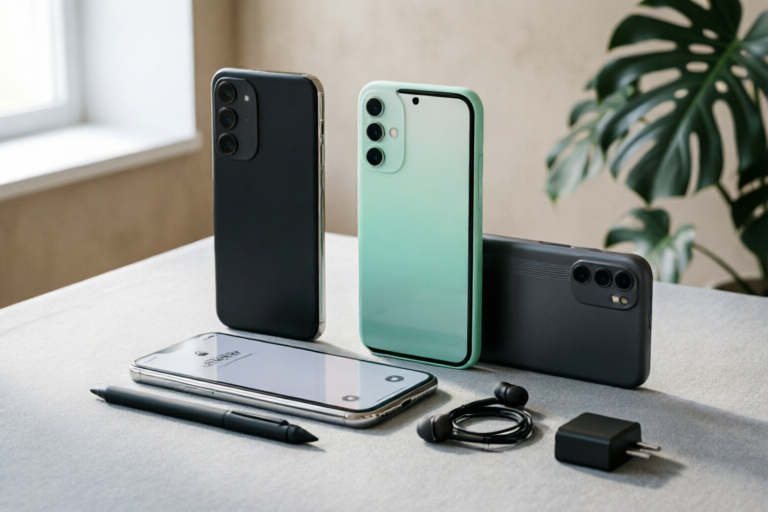
Best Budget Smartphones For Students To Buy Now
Power Your Education Without Breaking The Bank
Best Budget Smartphones For Students To Buy Now
In the modern landscape of higher education, technology is no longer a luxury; it is a fundamental tool for survival and success. From taking attendance digitally to collaborating on group projects via cloud platforms, a reliable smartphone is essentially a portable office. However, the financial burden of university tuition, housing, and books leaves little room for extravagant spending on gadgets. This creates a unique challenge for students: how to secure a device that offers flagship-level functionality for studying, networking, and entertainment without emptying your wallet.
The Student’s Search for Value
The quest for the perfect smartphone among college students is distinct from that of the average consumer. While an adult professional might prioritize sleek design or the absolute latest processor speed, a student prioritizes endurance, versatility, and affordability. We live in an era where inflation is rising, and the price of electronics often outpaces salary growth for younger demographics. Consequently, the “best” phone isn’t necessarily the newest model released last month, but the one that offers the highest return on investment over four years of degree pursuits.
Balancing cost with technology needs requires a strategic approach. Students spend hours daily on their screens for research, video lectures, and communication apps. A budget device that crashes frequently or dies halfway through a seminar is not just an inconvenience; it is an educational liability. Therefore, the search for value involves looking beyond the sticker price. It considers total cost of ownership, including screen protectors, cases, and potential carrier costs. Our guide aims to navigate the crowded marketplace of budget-friendly options, ensuring you find a device that keeps up with your syllabus, not just your bank account.
Must-Have Features for Academic Life
Before diving into specific models, it is crucial to understand what makes a smartphone suitable for the rigors of academic life. Not all budget phones are created equal, and some may lack critical capabilities required for campus life. Here are the non-negotiable specifications you should prioritize when shopping.
Endurance: Long Battery Life and Fast Charging
Imagine being in a remote lecture hall with no available outlets, a heavy workload waiting after class, and a phone with 15% battery remaining. This is a common nightmare scenario for many students. A phone with a large capacity battery (ideally 5,000mAh or higher) is essential for surviving a day of intermittent use. Furthermore, fast charging capabilities reduce downtime. If your battery does drain quickly, being able to charge from 0% to 50% in 30 minutes allows you to power up between classes without hunting for a charger.
Storage: Ample Space for Learning Materials
Modern academic workloads generate data at a rapid pace. You will accumulate thousands of PDFs, lecture recordings, course slides, and photos of whiteboard notes. Additionally, students rely heavily on productivity apps like OneNote, Evernote, and cloud storage clients. A 64GB storage device is simply insufficient in today’s app environment. We recommend a minimum of 128GB for a baseline experience, though 256GB provides peace of mind for the long haul. Crucially, support for microSD expansion can be a lifesaver for students who document every aspect of their studies.
Display Quality: Eye Comfort During Marathons
Students often read digital textbooks or watch recorded lectures for extended periods. A poor-quality display can lead to eye strain and headaches. An OLED or AMOLED panel is preferred for its high contrast and vibrant colors, but more importantly, look for features that adjust brightness smoothly and offer blue light filters. These护眼 modes are vital for late-night study sessions where artificial lighting is harsh. A screen size between 6.1 and 6.7 inches offers the best balance of portability for carrying in a backpack versus usability for reading dense text.
Performance and Multitasking
You cannot afford lag when switching between a browser tab researching a topic and a video conferencing app like Zoom or Teams. Adequate RAM (Random Access Memory) is the backbone of smooth multitasking. While 6GB might suffice for light browsing, 8GB ensures that background updates, notifications, and active apps coexist without forcing the phone to reload unnecessarily. Pair this with a reliable mid-range processor (like the Snapdragon 7 series or comparable MediaTek Dimensity chips) to ensure future-proofing throughout your degree program.
Durability and Build Quality
A classroom setting is a busy place. Phones get dropped, bumped against desks, and packed tightly with books. A sturdy build prevents premature repair bills. Look for phones with Gorilla Glass protection and robust chassis designs. Water resistance is also a bonus, protecting against accidental coffee spills in a lab or rain while walking across campus.
Top Android Picks Under $300
For the majority of students, the sweet spot lies in the sub-$300 segment. This price range typically excludes flagship processors but delivers excellent displays, solid cameras, and premium-looking designs. Here are our top recommendations for Android enthusiasts.
1. Samsung Galaxy A34 5G / A54 5G
Samsung’s mid-range A-series has become synonymous with reliability. The Galaxy A34 and its successor, the A54, offer an exceptional blend of screen real estate and software support.
Why it works for students: Samsung offers 4 years of OS updates and 5 years of security patches. For a student keeping a phone for all four years of university, this longevity is unmatched. The Super AMOLED display is bright enough for outdoor use and includes Eye Comfort Shield to prevent fatigue. The camera system is versatile enough to capture lab reports and textbook pages accurately.
Performance: With 5G capability, download speeds for massive course files are impressive. The Exynos chipset handles daily tasks smoothly, though heavy gaming might cause slight heating. Battery life is a strong point, often lasting well past a full day of moderate use.
2. Google Pixel 7a
Occasionally priced above $300 during sales, the Pixel 7a is a steal that deserves attention. Google brings its computational photography magic to the budget category.
Why it works for students: The Pixel experience is clean, free of bloatware, which conserves storage and battery. The camera’s Night Sight mode allows you to snap clear photos of documents in poorly lit dorm libraries. Magic Editor tools help in editing project presentations by removing distracting backgrounds from group photos instantly.
Performance: Powered by the Tensor G2 chip, it focuses on AI processing rather than raw speed. This translates to better voice recording transcription and smart reply suggestions for emails. However, battery life is adequate rather than exceptional compared to rivals.
3. Nothing Phone (2a)
For students who want style and individuality without breaking the bank, the Nothing Phone (2a) stands out with its transparent design and Glyph interface.
Why it works for students: The Glyph Lights can serve a functional purpose: you can set them to flash different patterns for calendar reminders or incoming calls from professors so you never miss a message even in a noisy cafeteria. The UI is incredibly fast and lightweight, feeling faster than most competitors with similar hardware specs.
Performance: It comes with clean Android and guaranteed updates. The battery optimization is excellent, supporting fast charging which is useful for quick top-ups. The durability is standard, so pairing it with a case is mandatory given the exposed glass back.
4. Motorola Moto G Power (2023/2024 Model)
If your primary concern is battery life and simplicity, Motorola is the king of endurance.
Why it works for students: The branding emphasizes “Power.” Some variants claim up to two days of battery life on a single charge. It offers a stock Android experience, meaning no pre-installed apps eating up resources. The design is classic, and the phone feels lightweight in a student’s pocket.
Performance: Don’t expect high-end graphics, but for Zoom calls and browsing, it holds up well. The lack of bloatware ensures the system runs smoothly even with limited RAM compared to Samsung.
5. Xiaomi Redmi Note 12 Pro
Xiaomi continues to dominate the value-for-money market, offering specs that rival phones costing twice as much.
Why it works for students: The charging speed here is phenomenal, reaching full battery in around 45 minutes. The 200MP camera option allows you to zoom into details in textbook diagrams clearly. It packs a high refresh rate screen that makes scrolling through feeds and notes feel buttery smooth.
Performance: The processor is punchy, handling multitasking efficiently. Be aware that MIUI (their skin) can feel cluttered initially and requires setup time to remove ads and unwanted apps. Once customized, it is a powerhouse.
Best Value iOS and Refurbished Options
For students entrenched in the Apple ecosystem or those seeking the prestige of a flagship device without the new device price tag, alternatives exist.
iPhone SE (3rd Generation)
The iPhone SE is the gateway to iOS budget purchases. While the design looks older (like an iPhone 8), the internals are surprisingly capable.
Pros: It supports all the same apps and iMessage features as a flagship iPhone. You get the A15 Bionic chip, which ensures longevity. If you have a Mac or iPad, the seamless integration (AirDrop, Handoff) enhances academic workflow significantly.
Cons: The small screen (4.7 inches) is tiring for reading assignments. The battery life is mediocre, requiring a midday charge for heavy users. The display is LCD rather than OLED.
Certified Refurbished Flagships
Buying a previous-generation flagship (like a Samsung S22 Ultra or iPhone 13) from a certified refurbisher can save you hundreds of dollars.
Strategy: Look for vendors that offer warranties. A used S21 Ultra often beats a new A54 in camera performance. Many students opt for this route to access premium features like S-Pen stylus writing for annotating PDFs directly on the screen. Always check battery health ratings before purchasing a refurbished unit to ensure it lasts through a semester.
Final Recommendations and Buying Tips
Navigating the smartphone market can be overwhelming. To finalize your purchase decision, consider these practical steps.
Summarizing the Top Picks
- Best Overall Balance: Samsung Galaxy A54 5G. Reliable updates, great screen, good battery.
- Best Camera for Notes: Google Pixel 7a. Excellent scanning and low-light capture.
- Best Battery: Motorola Moto G Power. Unmatched endurance for minimal charging.
- Best Style & Speed: Nothing Phone (2a). Unique aesthetic with optimized performance.
When to Buy: Timing Matters
Purchasing timing can dictate your savings. The back-to-school season (July to September) often sees bundle deals with carriers offering subsidized phones if you switch lines. Major holidays like Black Friday and Cyber Monday see steep discounts on older models. Keep an eye on Amazon Prime Day (usually July) where tech deals surge. Waiting for a new model release (August/September) can sometimes drop the price of the previous year’s model significantly.
Warranty and Protection
Never buy a cheap phone without considering insurance. Accidents happen on campus. Extended warranties offered by manufacturers or third-party retailers like Asurion can cover drops and cracks. For refurbished phones, a minimum 90-day warranty is standard; anything less poses a risk. Unlocked phones generally retain resale value better than carrier-locked models, giving you flexibility at graduation.
Carrier Deals vs. Unlocked
If you are on a tight budget, carrier contracts might seem tempting with “free” phone promotions. However, these often come with high monthly service fees that outweigh the upfront savings. Calculate the Total Cost of Ownership over two years. Often, buying an unlocked budget phone outright is cheaper than financing it through a carrier contract. Ensure your school’s Wi-Fi requirements don’t necessitate 5G compatibility, although having 5G capability now ensures you stay connected as campus infrastructure upgrades.
Actionable Checklist for Students
Before clicking “Buy,” ask yourself:
- Does this phone support the apps required for my major? (e.g., engineering apps vs liberal arts apps).
- Is the storage expandable?
- Does the battery last a full 8-hour class day?
- Are there hidden subscription costs for cloud storage?
- Can I get a replacement policy if it breaks?
By prioritizing durability, storage, and battery life over flashy marketing terms, students can secure a digital companion that serves them reliably. The right budget smartphone doesn’t just facilitate learning; it empowers ambition without imposing financial stress. In the competitive world of academia, letting money be a barrier to technology is unnecessary. With the right choice, the tool becomes invisible, leaving you focused solely on what truly matters: your education.
Comments

Comparing this vs the Motorola G series... both seem close on specs.
Pro tip: Always check the warranty before buying those certified refurbished units.

Solid list. Finally something that acknowledges student budgets aren't infinite.

Fast charging is a must for us students. My current phone takes forever to top up lol

Waited for sales and grabbed one for cheap. Best bang for buck honestly.

Thinking about the refurbished iPhone route but scared of battery issues. Any tips?

Grabbed the Pixel A series from your list. Honestly surprised by the camera quality for scanning lecture notes.