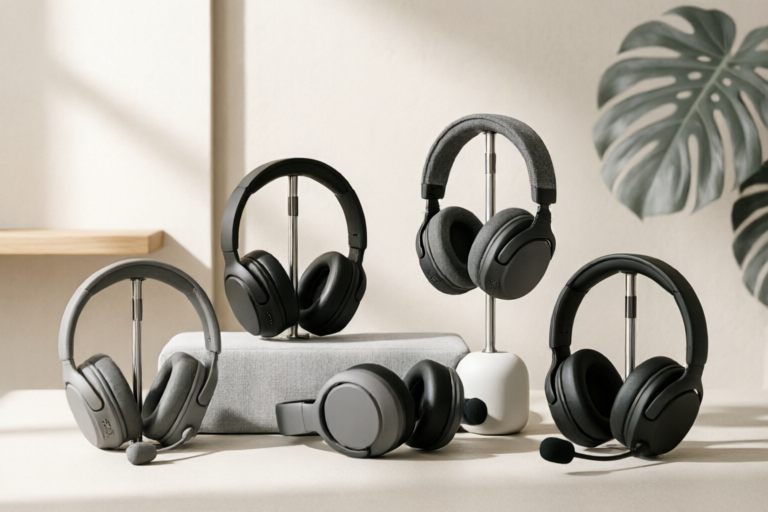
Gaming & Entertainment
Top 5 Best Gaming Headsets for Beginners Under $100
High Fidelity Audio, Affordable Prices
## Introduction: The Value of Entry-Level Gaming Audio
Entering the world of competitive gaming or immersive single-player adventures is an exciting journey, but it often comes with questions about what equipment is truly necessary to get started. One of the most critical components of the gaming experience is audio. Whether you are trying to hear the footsteps of an approaching enemy in a First-Person Shooter (FPS) or immersed in the cinematic narrative of a Role-Playing Game (RPG), headphones play a pivotal role in immersion and performance. For many new players, the fear of overspending on hardware can be a barrier to entry. However, purchasing budget-friendly gear is not a compromise; it is a smart strategic move.
Modern technology has advanced to a point where price does not always correlate linearly with performance in the entry-level tier. The sub-$100 price point is widely considered the sweet spot for beginners who are serious about their hobby but unwilling to drop $200 or more on premium audiophile gear immediately. At this price range, you should expect high-quality plastic or aluminum composites, decent frequency response curves that offer clear highs and punchy bass, and reliable microphones suitable for voice chat applications like Discord, Xbox Live, or PlayStation Network. Setting expectations correctly is key. While you may not get studio-grade monitoring or proprietary wireless latency-free chips found in $300 headsets, you will find robust devices that offer 90% of the utility at 30% of the cost. This guide aims to dismantle the barriers to entry by analyzing the best options currently available, ensuring that your first investment in gaming audio sets a strong foundation for your future growth.
Furthermore, starting with an affordable headset allows beginners to identify their specific preferences. Does the user prefer bass-heavy music tracks alongside gameplay? Do they prioritize microphone clarity for team coordination, or perhaps wireless connectivity to declutter their desk? By starting in the under-$100 bracket, gamers can test these variables without significant financial risk before deciding whether to upgrade later. Therefore, investing wisely at the beginning ensures resources remain available for other essential peripherals like mice, keyboards, and mousepads.
## Key Features to Consider Before Buying
Before diving into the specific models, it is essential to understand the specifications that define a good beginner headset. Not all headphones under $100 are created equal, and understanding the terminology will save you time and money during the purchasing process. Several core factors dictate the overall user experience, including driver size, microphone clarity, build quality, and connection types.
### Driver Size and Sound Quality
The driver is essentially the speaker unit inside the headphone ear cup. When shopping for headsets in the budget category, look for a driver size between 40mm and 53mm. Smaller drivers (around 30mm) tend to lack the power to produce deep bass and dynamic range required for cinematic explosions in games. Larger drivers generally provide a wider soundstage, meaning you can better distinguish the direction of sounds. However, bigger is not always better if the tuning is poor. Beginners should look for balanced sound profiles that avoid overpowering bass that masks enemy footsteps. A flat frequency response or slight bass boost is preferable for gaming immersion without distorting positional audio cues.
### Microphone Clarity and Noise Cancellation
Communication is the backbone of multiplayer gaming. You need to coordinate with teammates using a clear voice channel. Look for detachable boom microphones, as flexible arms allow you to position the mic optimally close to your mouth. For beginners, a boom mic with built-in noise suppression is ideal. This technology filters out background noise such as mechanical keyboard clicking or air conditioning hum, ensuring your teammates only hear your instructions. Avoid headsets with omnidirectional internal mics unless you plan to use them strictly for media consumption, as these often pick up too much ambient room noise.
### Build Quality and Durability
Many budget headsets suffer from poor construction, leading to cable snapping or ear cup breakage within months. For a device you will wear for hours daily, durability matters. Aluminum frames often provide structural integrity, but high-quality reinforced plastics are common and acceptable in this price range. Check for cable thickness; braided cables resist tangling and fraying better than thin, rubberized cords. Additionally, consider the swivel mechanism of the ear cups. Rotating cups help in adjusting the fit to different face shapes and are helpful for monitoring game audio even when the headset is not on your ears.
### Connection Types and Versatility
The method of connection determines compatibility with your setup. Most gaming headsets come with a 3.5mm analog jack. This offers universal compatibility across PCs, consoles (PlayStation, Nintendo Switch), and mobile devices via a simple plug. However, some modern headsets utilize USB connections with onboard sound cards and lighting effects. While USB offers digital signal processing advantages, it locks the device to that specific interface (often requiring USB ports which might be limited on laptops). Wireless connectivity via USB dongles is becoming more common under $100, offering the convenience of cutting the cord, but be aware that battery life on budget wireless units is typically lower than premium counterparts.
## Top 5 Gaming Headsets Under $100 Reviewed
After evaluating numerous options on the market based on customer feedback, professional reviews, and technical specifications, five distinct models stand out as the best choices for beginners. These headsets represent the pinnacle of value for money in the current market, balancing performance, comfort, and price effectively.
### 1. HyperX Cloud Stinger Core
**Price Range:** $35 - $50
**Connectivity:** 3.5mm Analog Jack
The HyperX Cloud Stinger Core is often cited as the king of the budget segment. It brings the reputation of the legendary Cloud series to a more accessible price point. One of its primary strengths lies in its ultra-lightweight design. Weighing in at approximately 275 grams, it eliminates neck strain during marathon gaming sessions, a common complaint among heavy headset owners.
**Sound Characteristics:** The sound signature is surprisingly rich for the price. It utilizes 50mm directional drivers that provide decent spatial awareness, allowing players to distinguish left-right cues accurately. The bass response is warm but does not muddy the mid-range frequencies where voice chat resides.
**Weaknesses:** The build material is entirely plastic, which feels lighter but lacks the premium feel of metal. The microphone is non-detachable, permanently fixed to the headset. For users who might want to switch to casual listening without the boom arm protruding, this is a minor inconvenience.
**Ideal User:** Best for FPS enthusiasts on tight budgets and users with small head sizes who prioritize comfort above all else.
### 2. Razer Kraken V3 X
**Price Range:** $50 - $70
**Connectivity:** 3.5mm Analog Jack / USB
Razer continues to dominate the colorful aesthetic space with the Kraken V3 X. This headset stands out due to its custom-tuned 50mm drivers that offer THX Spatial Audio certification, although the software implementation depends on your system configuration. The build quality includes a durable aluminum sliding headband and braided cabling, which adds a layer of longevity often missing in cheaper rivals.
**Sound Characteristics:** Razer focuses heavily on bass response, giving the audio a punchy, energetic vibe. This is excellent for action sequences and music while gaming. The THX Spatial Audio support attempts to create a virtual 7.1 surround effect, enhancing immersion in RPGs and shooters alike.
**Weaknesses:** The ear cups are somewhat shallow compared to competitors. Users with larger ears might feel the inner cushion pressing against sensitive areas after two hours. Additionally, the microphone is slightly stiff, making adjustments difficult once attached.
**Ideal User:** Gamers who enjoy vibrant aesthetics and want enhanced surround sound features through software on PC.
### 3. Corsair HS60 PRO Surround
**Price Range:** $60 - $80
**Connectivity:** 3.5mm Analog Jack / USB-C/Dongle Variants
The Corsair HS60 Pro is a classic choice that has stood the test of time. It distinguishes itself with a dual-channel design. Depending on which mode you select, you get either stereo or virtual surround sound. The aluminum frame provides a rigid structure that resists bending, contributing to a premium feel despite the low cost.
**Sound Characteristics:** This headset prioritizes clarity over bass thump. You will hear vocal nuances clearly, making it exceptional for dialogue-heavy games and tactical shooter positioning. The volume wheel is located conveniently on the right ear cup, offering tactile control without needing to touch the screen.
**Weaknesses:** The ear pads are made of leatherette that can trap heat during summer sessions. Breathable cloth pads might be preferred for hot climates. Also, the microphone boom is relatively long and might bump against the chin depending on sitting posture.
**Ideal User:** Players focused on competitive esports where voice clarity and precise positioning take precedence over style.
### 4. Turtle Beach Recon 70
**Price Range:** $40 - $55
**Connectivity:** Multi-Platform 3.5mm Plug
Turtle Beach is renowned for console gaming optimization, and the Recon 70 reflects that expertise. This headset is incredibly versatile, supporting Xbox, PlayStation, Nintendo Switch, and PC simultaneously. The standout feature here is the flip-to-mute microphone slider. You can instantly silence yourself without fumbling for buttons, which is a lifesaver during unexpected moments in gameplay.
**Sound Characteristics:** The audio profile is tuned specifically for console environments, emphasizing loudness and impact. Bass is prominent, helping simulate the rumble of battleships or engine roars typical in console titles. It supports Dolby Audio, providing an immersive layer of depth.
**Weaknesses:** Long-term comfort is average due to tighter clamping force. Users who wear glasses might experience pressure points on the temples over long durations. The cable is not detachable, meaning if it gets damaged, the whole unit is affected.
**Ideal User:** Console gamers, specifically those sharing a TV space who value privacy features like the mute slider.
### 5. Logitech G435 Wireless (Budget Edition)
**Price Range:** $70 - $99 (During Sales)
**Connectivity:** USB Dongle (2.4GHz) + Bluetooth
While the price fluctuates, the G435 frequently lands just under the $100 mark, making it an incredible option for those seeking wireless freedom. As Logitech's entry into lightweight wireless gaming, it uses 40mm speakers. The biggest advantage is versatility: it works both with the USB dongle for low-latency gaming and via Bluetooth for mobile phone calls.
**Sound Characteristics:** Being wireless introduces a slight compression in audio fidelity compared to wired analog jacks, but the difference is negligible for most casual and semi-competitive gamers. The sound is balanced and neutral.
**Weaknesses:** Battery life is moderate, lasting around 18 hours, which requires frequent charging for hardcore users. The build is almost entirely plastic, feeling less robust than the Corsair or Razer options. The earcups are also small and may not fit users with oversized heads well.
**Ideal User:** Streamers, commuters, or messy-desk setups where wires are a hazard, prioritizing mobility over absolute audiophile fidelity.
## Compatibility and Comfort Analysis
When selecting a budget headset, compatibility extends beyond the physical connector. Modern gaming spans multiple platforms: PC, Consoles (Sony PlayStation, Microsoft Xbox, Nintendo Switch), and Mobile Devices. Understanding how your chosen headset interacts with these ecosystems is vital to ensure it functions correctly without additional costly adapters.
### Cross-Platform Support
Most wired headsets in this category utilize a 3.5mm TRRS jack. This is compatible with the PC motherboard audio port, PlayStation controllers (DualSense/DualShock 4), and Nintendo Switch docked mode. However, Xbox controllers require a separate stereo mixer or an optical cable adapter to accept the 3.5mm input on newer Xbox Series X/S systems. If you are a multi-platform player, verify if the headset comes with the necessary dongle or splitter.
For the wireless Logitech G435 mentioned earlier, compatibility is split. The USB dongle works on PC, but Bluetooth pairing allows connection to phones and tablets. This hybrid approach is rare in the sub-$100 wireless market but highly desirable for a mobile-first gamer. Console wireless compatibility usually requires specific certification (like Xbox wireless certification), which most budget third-party wireless headsets lack, meaning they often rely on the PC-specific dongle which won’t work natively on the console unless a bridge is used.
### Ergonomic Design Factors
Comfort is subjective but physically measurable. Extended gaming sessions often last 4 to 8 hours. During this time, the clamping force (how tightly the headband grips the head) and the breathability of the ear pads determine usability.
Memory foam is the gold standard for budget headsets. It molds to the shape of your head over time, reducing pressure points. Ear cups should be deep enough so your ears do not touch the drivers inside. This prevents hearing damage from proximity and maintains the acoustic seal.
Weight distribution is another critical ergonomic factor. Heavy headsets pull the front of the head down, causing fatigue in the neck muscles. Hyperlight designs like the Stinger Core alleviate this. Additionally, sweat accumulation can degrade ear pad materials quickly. Perforated fabric covers or synthetic leather with ventilation channels prolong the life of the headset and maintain hygiene.
Adjustability also matters. A telescopic slider should lock firmly without slipping. If it slides easily, it indicates poor quality manufacturing that could lead to the headset falling off during intense movement. Swivel hinges should be smooth but firm enough to keep the ear cups angled correctly toward your ears, optimizing the sound delivery.
## Conclusion: Final Recommendations by Category
Navigating the vast sea of gaming peripherals can be daunting, especially for those setting up their first rig. We have analyzed the landscape of the sub-$100 market, identifying five contenders that offer exceptional value. However, “best” is relative to individual needs. Here is our final categorization to assist in your final decision-making process.
### Best Overall Value: HyperX Cloud Stinger Core
If you want a safe, reliable bet with minimal fuss, the Stinger Core is the winner. It offers proven durability, lightweight comfort, and solid sound without gimmicks. It is the perfect tool to learn the ropes of competitive gaming.
### Best Microphone Quality: Corsair HS60 PRO Surround
For streamers and team captains who need to project authority and clarity, the Corsair takes the crown. Its emphasis on mid-range clarity ensures your voice cuts through the game audio and discord static effectively.
### Most Comfortable Fit: HyperX Cloud Stinger Core (Tie) / Razer Kraken V3 X
For pure ergonomics, the Stinger Core wins on weight. However, the Razer Kraken V3 X offers a softer cushion feel for users who dislike tight clamping forces. Both excel in minimizing fatigue.
### Best Wireless Experience: Logitech G435
For the freedom of wire-free movement, the G435 is unmatched in this price bracket. It bridges the gap between a true wireless headset and a budget accessory, proving that you don’t need to spend hundreds for convenience.
### Best Console Utility: Turtle Beach Recon 70
With its universal plug-and-play nature and instant mute features, this headset simplifies the console experience. It avoids driver installation headaches and works seamlessly right out of the box.
In conclusion, spending under $100 on a gaming headset does not mean sacrificing performance. With the options listed above, beginners can secure high-fidelity audio, effective communication tools, and comfortable designs. Choose the model that aligns best with your platform and playstyle, and elevate your gaming experience today. Remember, the best headset is the one you actually want to wear. Prioritize comfort and function over flashy lights to ensure years of enjoyment from your investment.
Comments

ValueSeeker
Is the $100 cap strict or can we push over? Quality looks premium enough.
👍 29👎 0

SilentSniper
Grabbed mine yesterday. Comfortable for 3 hour sessions without pressure points.
👍 29👎 0

FrameRateKing
Any idea how long these usually last? Don't want to spend money twice a year.
👍 7👎 0

MicCheckOneTwo
The mic clarity test you did sold me. Been looking for one that cuts out background noise.
👍 23👎 0

CasualPlayer123
Used to rock a $20 headset. Upgraded based on this and wow, huge difference. Shouldve done this sooner tbh.
👍 8👎 0

xX_ProGamer_Xx
Does the HyperX one work with PS5 directly or do I need a dongle?
👍 8👎 0

BudgetBender
Finally found a list that doesn't include headphones costing a month's rent. Just ordered the SteelSeries recommendation.
👍 24👎 0