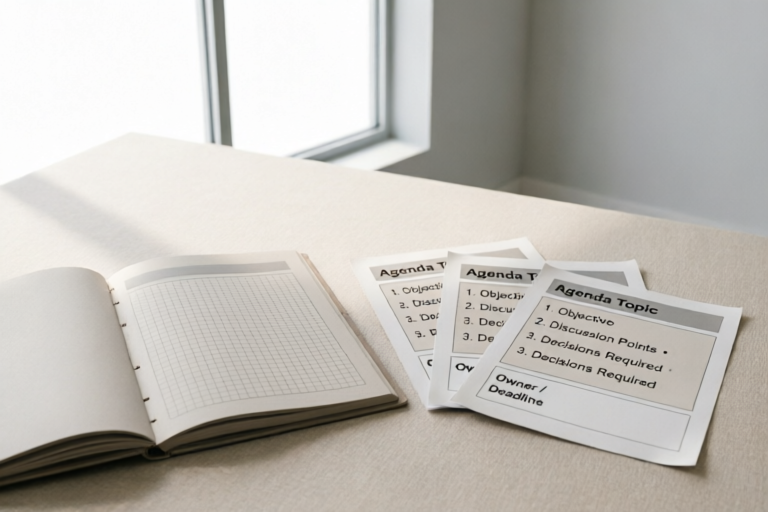
Effective Meeting Agenda Templates for Teams
Structured Meetings, Productive Teams
Introduction to Meeting Agendas
Importance of having a structured meeting agenda: A well-structured meeting agenda ensures that everyone is on the same page, making the most out of limited time. It helps prevent unnecessary discussions and keeps the meeting focused on its objectives.
Benefits of using effective templates: Using pre-designed templates can save time and effort while ensuring consistency across meetings. They provide a clear structure that guides participants through the discussion, making it easier to stay on track.
Overview of what will be covered in the article: This article will explore the essential elements of an effective meeting agenda template, provide sample templates tailored for different team sizes, offer tips for customizing these templates, and introduce some popular tools and software for creating and managing meeting agendas.
Key Components of an Effective Meeting Agenda Template
Opening Remarks and Purpose Statement
The opening section should briefly introduce the purpose of the meeting and set expectations for attendees. This helps in aligning everyone towards common goals and objectives.
List of Topics to Be Discussed, with Time Allocations
A clear list of topics ensures that all relevant points are covered during the meeting. Allocating specific times for each topic helps in maintaining a disciplined pace throughout the session.
Action Items and Responsibilities Assignment
Assigning action items and specifying who is responsible for them ensures accountability and follow-through after the meeting. This step is crucial for turning discussions into actionable outcomes.
Follow-Up Steps and Next Meeting Schedule
Outlining follow-up actions and scheduling the next meeting helps in maintaining continuity between meetings. It ensures that no important tasks fall through the cracks.
Sample Meeting Agenda Templates for Different Team Sizes
Small Team (Up to 5 Members) Template
For smaller teams, simplicity is key. Focus on concise topics and ensure quick decision-making processes. Here's a basic template:
- Opening Remarks
- Review of Previous Actions
- Discussion Points
- Action Items and Assignments
- Closing Remarks
Medium-Sized Team (6-20 Members) Template
Medium-sized teams require more detailed planning to ensure that all voices are heard. Consider breaking down larger topics into sub-topics for better focus:
- Opening Remarks
- Review of Previous Actions
- Discussion Points (with Sub-Topics)
- Action Items and Assignments
- Closing Remarks
Large Team (More Than 20 Members) Template
Large teams benefit from structured breakout sessions or parallel tracks. This allows for deeper dives into specific areas without overwhelming everyone:
- Opening Remarks
- Review of Previous Actions
- Parallel Discussion Tracks
- Plenary Session for Summary and Action Items
- Closing Remarks
Tips for Customizing Your Meeting Agenda Template
How to Tailor Templates Based on Team Needs
Consider the unique dynamics and requirements of your team when customizing your agenda. For instance, creative teams may need more brainstorming time, whereas project management teams might focus on task allocation.
Incorporating Feedback from Previous Meetings
Gather feedback from past meetings to refine future agendas. This could involve asking participants about their experience and adjusting the format accordingly.
Ensuring Inclusivity and Participation from All Team Members
Make sure that all team members have the opportunity to contribute. Rotate facilitation roles or use round-robin methods to encourage equal participation.
Tools and Software for Creating Meeting Agendas
Popular Tools Like Microsoft Teams, Google Calendar, Asana
Several tools can assist in creating and managing meeting agendas:
- Microsoft Teams: Offers integrated scheduling and collaboration features.
- Google Calendar: Provides easy-to-use scheduling and sharing capabilities.
- Asana: Allows for task tracking and assigning action items directly within the platform.
Best Practices for Integrating These Tools into Your Workflow
Integrate these tools seamlessly into your existing workflow by setting up recurring meetings, automating reminders, and linking tasks directly to calendar events.
Cost Considerations and Free Alternatives
While many tools offer paid plans, there are also numerous free alternatives available. Explore open-source options or community editions to find cost-effective solutions.
Conclusion and Final Thoughts
Recap of key points discussed in the article: Structured meeting agendas improve productivity and focus. Tailoring templates to suit your team’s needs ensures maximum engagement and effectiveness.
Encouragement to experiment with different templates: Don't hesitate to try various formats until you find one that works best for your team.
Call to action for readers to share their own experiences: We would love to hear about your successful meeting strategies. Share your insights in the comments below!
Comments

Any advice on adapting this for growth strategy meetings?

Used this and it worked. Thanks!

Is there a way to integrate this with Slack for notifications?
After using this, we got great feedback from the team. Clear and useful!

Saved this template. It's perfect for quick check-ins.

Love the section on ensuring everyone participates. Any tips for virtual teams?

How do I tweak this for a more creative brainstorming session?

Used this template for our weekly meetings. Really helped keep things organized!